October 18, 2026
From invite to results in five steps
Every workspace follows the same path: invite people, create the work, assign it, let learners practice, and review who finished.
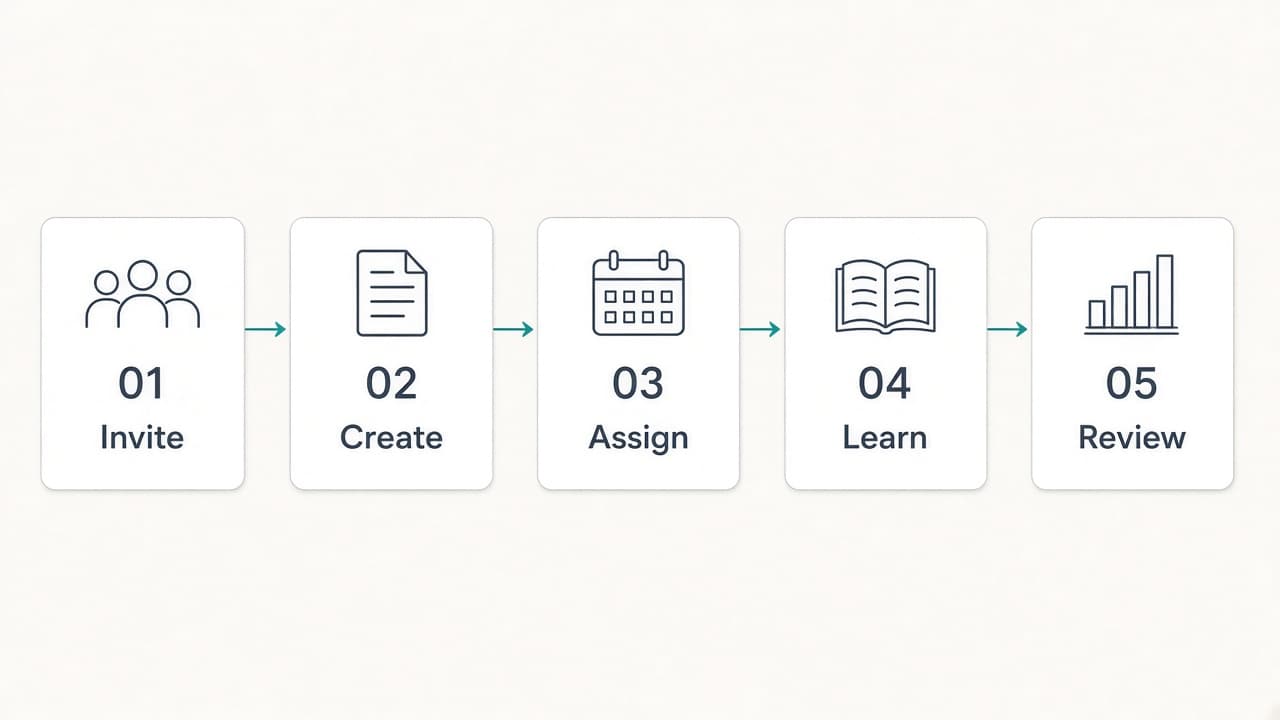
One path, three kinds of organization
A company, a school, and a training team do different work. They still share one workspace. An admin invites people with a join code. A trainer turns notes or pictures into an assignment. A learner takes it, then practices what they missed. The admin reads who finished.
If you can walk a colleague through these five steps, you can run the workspace. The rest of this note is that walkthrough.
Invite the people who teach and the people who learn
The admin shares one join code. Admins, trainers, and learners use it to enter the same organization. A learner joins that organization and starts from the workspace they were invited to.
Each person lands in a role. The admin owns the organization. The trainer builds the learning. The learner sees the work assigned to them. The role guide shows what each of those jobs looks like in a normal week.
Create from what you already have
Trainers start from notes, pictures, or questions they write themselves. A diagram or a photo of a procedure stays attached to the question, so the learner still sees it when they open the item.
One briefing, one walkthrough, or one class quiz is enough to start. A company workspace can also hold a slide course and a set of flashcards for the same team. That library is covered in quizzes, courses, and flashcards.
Assign a class, a language, and a deadline
The trainer picks the class or team, chooses the language the learner will read, and sets a deadline. The source can stay in English. The assignment can go out in Spanish, French, or another language.
A safety briefing can be due Friday in Spanish while a product walkthrough is due Monday in English. Both are assignments on the same workspace. The deadline belongs to that assignment. The language steps are in assign in the learner’s language.
Learn, then practice what was missed
The learner opens the assignment from their portal, with the questions, the pictures, and the deadline. When they finish, the workspace records the completion.
If they missed items, they can practice those questions only. The trainer keeps the original assignment. A second quiz is unnecessary. The original deadline stays where it was. See practice only the questions that were missed.
Review who is ready
The admin sees who finished before the work is overdue. Trainers open the gradebook for the class. Completion is visible in the workspace, so the Friday question is “who is ready?” and the answer is on the screen.
If the organization uses its own model key, usage shows up as a token count. The admin chooses Gemini, OpenAI, or Claude, and that provider bills the usage. With the Quizflex key, Quizflex pays for the model. The billing choice is in your organization’s model key.